
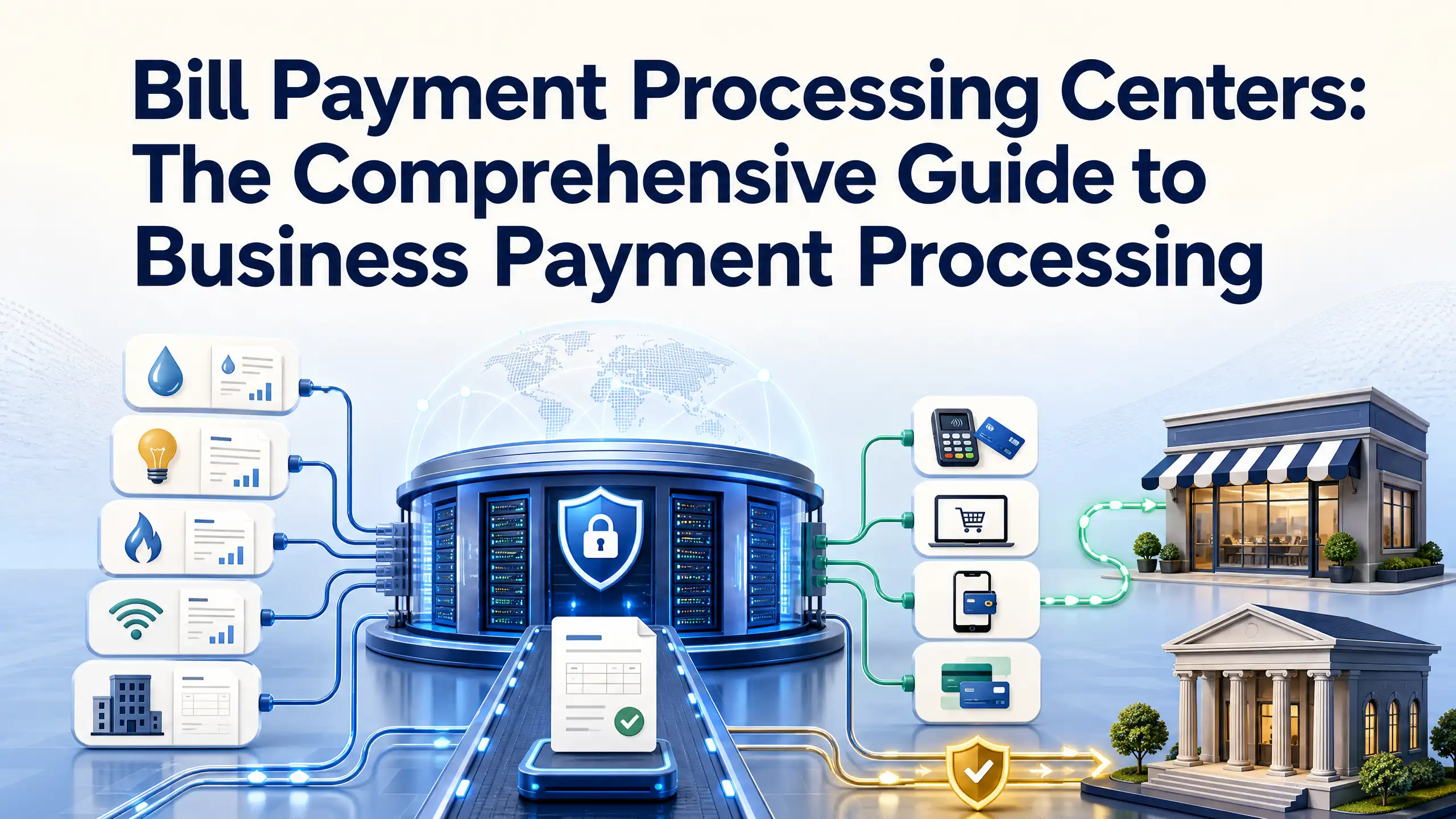
In today’s digital economy, managing cash flow effectively requires moving beyond manual invoicing, paper checks, and disjointed payment gateways. Whether you run a subscription SaaS platform, an e-commerce enterprise, a utility network, or a B2B service agency, your revenue infrastructure depends on one vital engine: a bill payment processing center.
Manual reconciliation, delayed transfers, and unexpected payment failures cost modern businesses billions annually in administrative overhead and involuntary churn. Centralizing your billing operations within an automated processing ecosystem solves these issues at scale.
This comprehensive guide breaks down how bill payment processing centers function, explores the technical lifecycle of digital transactions, contrasts key industry players (processors, providers, and gateways), and provides an actionable blueprint for choosing the right merchant payment provider for your organization.
1. What Is a Bill Payment Processing Center?
A bill payment processing center is a centralized technology and financial infrastructure that manages, secures, authorizes, and settles outbound customer invoices and inbound payments.
Unlike standard retail point-of-sale (POS) systems, which focus primarily on one-off, in-person customer card swipes, a bill payment center handles complex, multi-touch billing operations across diverse channels.
┌────────────────────────────────────────────────────────────────────────┐
│ BILL PAYMENT PROCESSING CENTER │
├────────────────────┬────────────────────┬──────────────────────────────┤
│ Ingestion Rails │ Core Engine │ Clearing & Settlement │
│ • Web Portals │ • Tokenization │ • Payment Processor Routing │
│ • Auto-Pay / ACH │ • Dunning / Retry │ • Card Interchange / ACH │
│ • Mobile & APIs │ • Accounting Sync │ • Merchant Account Deposit │
└────────────────────┴────────────────────┴──────────────────────────────┘
Modern bill processing architectures handle:
- Recurring & Scheduled Billing: Automated subscription cycles, usage-based invoicing, and flexible installment plans.
- Omnichannel Payment Intake: Centralized processing across customer self-service portals, mobile applications, interactive voice response (IVR) phone systems, and direct bank debit.
- Smart Dunning & Exception Handling: Automated retry schedules for soft declines, expired card updating, and automated customer reminder workflows.
- Automated Ledger Reconciliation: Real-time data synchronization with enterprise resource planning (ERP) platforms and core accounting software.
2. The Step-by-Step Architecture of a Payment Transaction
To understand how a bill payment moves from a customer’s bank balance into your business accounts, let’s examine the end-to-end technical lifecycle:
[Customer Pays Bill]
 │
 ▼
[1. Payment Ingestion & Tokenization] ──► (Converts PAN to secure tokens)
 │
 ▼
[2. Payment Gateway Encryption] ───────► (AES-256 / TLS 1.3 Transport)
 │
 ▼
[3. Payment Processor Routing] ────────► (Determines optimal card/ACH rail)
 │
 ▼
[4. Card Networks / ACH Operator] ─────► (Visa, Mastercard, FedACH, RTP)
 │
 ▼
[5. Issuing Bank Authorization] ───────► (Verifies liquidity & anti-fraud)
 │
 ▼
[6. Settlement to Acquiring Bank] ─────► (Funds deposited into Merchant Account)
Step 1: Payment Capture & Tokenization
When a customer enters payment credentials into an electronic invoice or self-service portal, the system immediately intercepts the Primary Account Number (PAN) or bank account details. The system creates a randomized token representing the credential, ensuring unencrypted financial data never touches your web servers.
Step 2: Gateway Transport & Security Checks
The tokenized payload is transmitted across the payment gateway under strict TLS 1.3 encryption. Real-time machine-learning anti-fraud models evaluate IP geolocation, device fingerprinting, behavioral patterns, and historical velocity checks to block fraudulent attempts.
Step 3: Routing via the Payment Processor
The processing center dispatches the transaction details to the payment processor. The processor serves as the bridge between software interfaces and formal banking networks, directing the payment to the appropriate card network (Visa, Mastercard, Amex, Discover) or the Federal Reserve’s Automated Clearing House (ACH) operator.
Step 4: Issuing Bank Verification & Authorization
The cardholder’s or customer’s bank (the issuing bank) checks whether the account is valid, confirms sufficient funds or credit lines exist, and executes 3D Secure (3DS) authentication when required. An authorization code (Approved, Soft Decline, or Hard Decline) returns to the processing center in sub-second time.
Step 5: Clearing, Batching, and Settlement
Approved transactions are gathered into a batch file at designated clearing cut-off windows (typically once or twice daily). The networks settle funds between the issuing bank and your acquiring bank. The acquiring bank deposits the net balance into your merchant bank account within 24 to 72 hours.
3. Core Differences: Processor vs. Provider vs. Gateway vs. Processing Center
Financial technology terminology is frequently conflated. When designing an enterprise billing infrastructure, knowing which component performs which function ensures you don’t overpay for redundant tools.
| Component | Technical Role | Best Used For |
|---|---|---|
| Payment Gateway | Front-end digital conduit that encrypts and transmits card/bank data. | Capturing customer card data securely on web portals. |
| Payment Processor | Back-end financial routing engine connecting gateways to financial networks. | Clearing raw transactions through Visa, Mastercard, and ACH rails. |
| Merchant Payment Provider | Full-stack vendor packaging processing, merchant accounts, underwriting, and support. | Turnkey operations needing end-to-end merchant setup. |
| Bill Payment Processing Center | End-to-end orchestration suite managing invoices, recurring schedules, and auto-settlement. | High-volume invoicing, recurring subscription models, utilities, and B2B billing. |
A standard payment processor handles transaction settlement mechanics across payment rails. In contrast, a comprehensive merchant payment provider or dedicated processing center provides the overarching software suite—including invoice generation, auto-billing engines, dunning workflows, customer portals, and reporting tools.
4. Payment Rails Supported in Modern Processing Centers
Diversifying payment methods reduces friction and directly reduces payment processing costs. A modern bill payment center supports multiple transaction rails:
 ┌─────────────────────────────────────┐
 │ Supported Payment Methods & Rails │
 └──────────────────┬──────────────────┘
 ┌───────────────────────────┼───────────────────────────┐
 ▼ ▼ ▼
 ┌───────────────┐ ┌───────────────┐ ┌───────────────┐
 │ ACH & E-Check │ │ Credit/Debit │ │Digital Wallets│
 │ • Low fees │ │ • Real-time │ │ • Apple Pay │
 │ • High ticket │ │ • Recurring │ │ • Google Pay │
 └───────────────┘ └───────────────┘ └───────────────┘
1. Automated Clearing House (ACH) & Electronic Checks
For recurring B2B invoices and high-ticket service contracts, ACH is the most cost-efficient rail. Rather than taking a percentage-based cut (which becomes prohibitive on $5,000+ invoices), ACH transactions cost a flat fee (often $0.20 to $1.50) or a low capped percentage.
2. Credit and Debit Cards
Credit and debit cards offer instant authorization, making them standard for customer utility portals, consumer services, and B2B SaaS accounts. Modern processing centers feature Account Updater APIs, which automatically sync updated card expiration dates and reissued numbers with Visa and Mastercard to eliminate involuntary payment failures.
3. Digital Wallets (Apple Pay, Google Pay, PayPal)
Digital wallets leverage tokenized device biometrics (Face ID, Touch ID), eliminating manual card entry. In mobile bill payment environments, adding digital wallet options reduces checkout drop-off by up to 25%.
4. Real-Time Payments (RTP) and FedNow
Instant payment rails enable 24/7/365 immediate funds clearance in seconds. For emergency utility bill payments, loan funding, or dynamic B2B supply transactions, real-time rails deliver immediate liquidity and definitive payment confirmation.
5. Strategic Benefits of a Dedicated Processing Center
Centralizing your billing operations delivers clear operational and financial benefits:
┌────────────────────────────────────────────────────────────────────────┐
│ BUSINESS IMPACT │
├─────────────────────────┬──────────────────────────────────────────────┤
│ Operational Pillar │ Key Business Benefit │
├─────────────────────────┼──────────────────────────────────────────────┤
│ Cash Flow Velocity │ Shrinks DSO (Days Sales Outstanding) │
│ Cost Optimization │ Lowest-cost routing via ACH and Debit rails │
│ Churn Prevention │ Smart dunning recovers 60-70% of soft fails │
│ Security & Compliance │ Minimizes PCI-DSS audit footprint │
└─────────────────────────┴──────────────────────────────────────────────┘
Lower Days Sales Outstanding (DSO)
Manual paper invoicing often creates a 30 to 45-day collection cycle. Automated bill processing centers shorten this window by combining automated email/SMS invoices, one-click payment links, and scheduled auto-pay.
Optimized Processing Margins
Smart routing technology automatically directs high-value invoices to low-cost ACH networks while reserving credit card rails for transactions where instant authorization is essential. This intelligent rail selection saves high-volume organizations thousands in interchange fees each month.
Reduced Involuntary Customer Churn
Up to 30% of customer churn is involuntary—caused by temporary card limits, transient bank timeouts, or expired credentials. Processing centers utilize smart dunning algorithms that retry cards on optimal days (such as paydays) and automatically retrieve updated card credentials, recovering 60% to 70% of failed transactions without customer intervention.
Streamlined PCI-DSS Compliance
Storing raw payment data on internal company servers triggers rigorous, costly Level 1 PCI audits. A cloud-hosted bill payment processing center offloads this compliance burden via hosted fields and secure tokenization vaults, keeping cardholder data off your internal systems.
6. How to Evaluate and Choose a Merchant Payment Provider
Selecting the right partner requires a thorough evaluation of technical capabilities, fee structures, and support agreements.
 EVALUATION MATRIX
 ┌──────────────────────────────────────────────────┐
 │ 1. PRICING STRUCTURE │
 │ Interchange-Plus vs. Flat-Rate vs. Tiered │
 ├──────────────────────────────────────────────────┤
 │ 2. DEVELOPER INFRASTRUCTURE │
 │ REST APIs, Webhooks, Sandbox Environments │
 ├──────────────────────────────────────────────────┤
 │ 3. ENTERPRISE INTEGRATION │
 │ Native ERP, CRM, & Accounting Connections │
 ├──────────────────────────────────────────────────┤
 │ 4. RISK & CHARGEBACK MANAGEMENT │
 │ 3DS2, Early Fraud Warnings, Auto-Evidence │
 ├──────────────────────────────────────────────────┤
 │ 5. SERVICE LEVEL AGREEMENTS │
 │ 99.99% Uptime Guarantee, 24/7 Dedicated Support│
 └──────────────────────────────────────────────────┘
1. Pricing Models: Interchange-Plus vs. Flat-Rate
- Interchange-Plus Pricing: The most transparent model for growing businesses. The merchant payment provider charges the exact interchange rate set by card networks plus a fixed markup (e.g., Interchange + 0.20% + $0.10). This model saves significant capital for businesses generating over $20,000 monthly.
- Flat-Rate Blended Pricing: Predictable (e.g., 2.9% + $0.30 per transaction) but significantly more expensive at scale.
- Tiered Pricing: Often problematic due to hidden markups; avoid providers that classify transactions into non-transparent “Qualified” vs. “Non-Qualified” buckets.
2. ERP and Accounting Integrations
Your processing center must synchronize data smoothly with your general ledger. Ensure the provider offers turnkey connectors or webhooks for platforms like QuickBooks, NetSuite, SAP, Salesforce, and Sage Intacct to eliminate manual balance transfers.
3. Fraud Mitigation & Dispute Automation
Look for platforms with built-in 3D Secure 2.0 (3DS2) support, chargeback prevention alerts (Verifi and Ethoca integrations), and automated evidence collation tools to contest unwarranted disputes efficiently.
4. High-Availability Uptime and SLAs
Payment downtime halts revenue generation immediately. Verify that your provider guarantees a minimum 99.99% uptime SLA with active-active server redundancy across separate geographic availability zones.
7. Comparative Fee Breakdown: Real-World Scenario
To illustrate how payment rail choices impact operating costs, consider a company collecting $500,000 across 1,000 monthly invoices ($500 average invoice value):
| Payment Rail | Average Fee Model | Cost Per Invoice ($500) | Total Monthly Fee | Annual Processing Cost |
|---|---|---|---|---|
| Credit Card (Blended) | 2.9% + $0.30 | $14.80 | $14,800 | $177,600 |
| Credit Card (Interchange-Plus) | 2.1% + $0.15 | $10.65 | $10,650 | $127,800 |
| ACH Transfer (Capped) | 0.8% capped at $5.00 | $5.00 | $5,000 | $60,000 |
| ACH Transfer (Flat-Rate) | $1.00 flat fee | $1.00 | $1,000 | $12,000 |
Takeaway: Directing even 40% of standard B2B invoice volume to ACH rails can yield tens of thousands in annual processing savings.
8. Frequently Asked Questions (FAQ)
What is the primary difference between a payment processor and a payment provider?
A payment processor is the backend technology infrastructure that routes transaction data through card networks and banking institutions. A payment provider is a comprehensive solution vendor that bundles the payment processor, merchant acquiring accounts, billing software, fraud monitoring, security compliance, and customer support into an all-in-one package.
How do bill payment processing centers protect customer financial data?
Processing centers protect financial data through tokenization and point-to-point encryption (P2PE). Account numbers are converted into random tokenized strings before storage, ensuring that even in the event of a system breach, usable payment data cannot be extracted. Furthermore, top-tier centers maintain Level 1 PCI-DSS certification.
How long does it take for funds to settle into my business account?
Settlement timelines depend on the payment method:
- Credit & Debit Cards: 24 to 48 business hours.
- Standard ACH: 2 to 3 business days.
- Same-Day ACH: End of the same business day if submitted before cutoff.
- RTP / FedNow: Instant settlement (under 15 seconds).
Can an automated processing center reduce customer chargebacks?
Yes. Automated centers reduce chargebacks through clear merchant billing descriptors, instant electronic receipts, automated payment reminders before recurring charges, and integrated 3DS2 authentication protocols that shift chargeback liability to the issuing bank.
What is the most cost-effective payment method for high-ticket invoices?
ACH transfers and e-checks are by far the most cost-effective methods for high-ticket invoices. Because ACH fees are either flat (e.g., $0.50–$1.50) or capped (e.g., $5.00 to $10.00 max), they avoid percentage-based interchange fees that make card processing expensive on large transactions.
9. Conclusion and Next Steps
A modern bill payment processing center does far more than process transactions—it automates recurring revenue, safeguards cardholder data, minimizes manual accounting errors, and optimizes operating margins.
By selecting an enterprise-grade merchant payment provider with transparent interchange-plus pricing, robust developer APIs, and automated dunning capabilities, your organization can build a resilient, scalable financial foundation.
Strategic Implementation Checklist:
- Audit Current Invoicing: Identify your average transaction size, invoice velocity, and current interchange rate breakdown.
- Implement Account Updater Tools: Prevent involuntary subscriber churn before it occurs.
- Incentivize Low-Cost Rails: Offer automated ACH discounts for large enterprise and B2B invoices.
- Integrate Real-Time Accounting Sync: Connect your billing engine directly to your general ledger to streamline month-end reconciliation.
Comments
No comments yet. Be the first to share your thoughts.
Leave a comment