
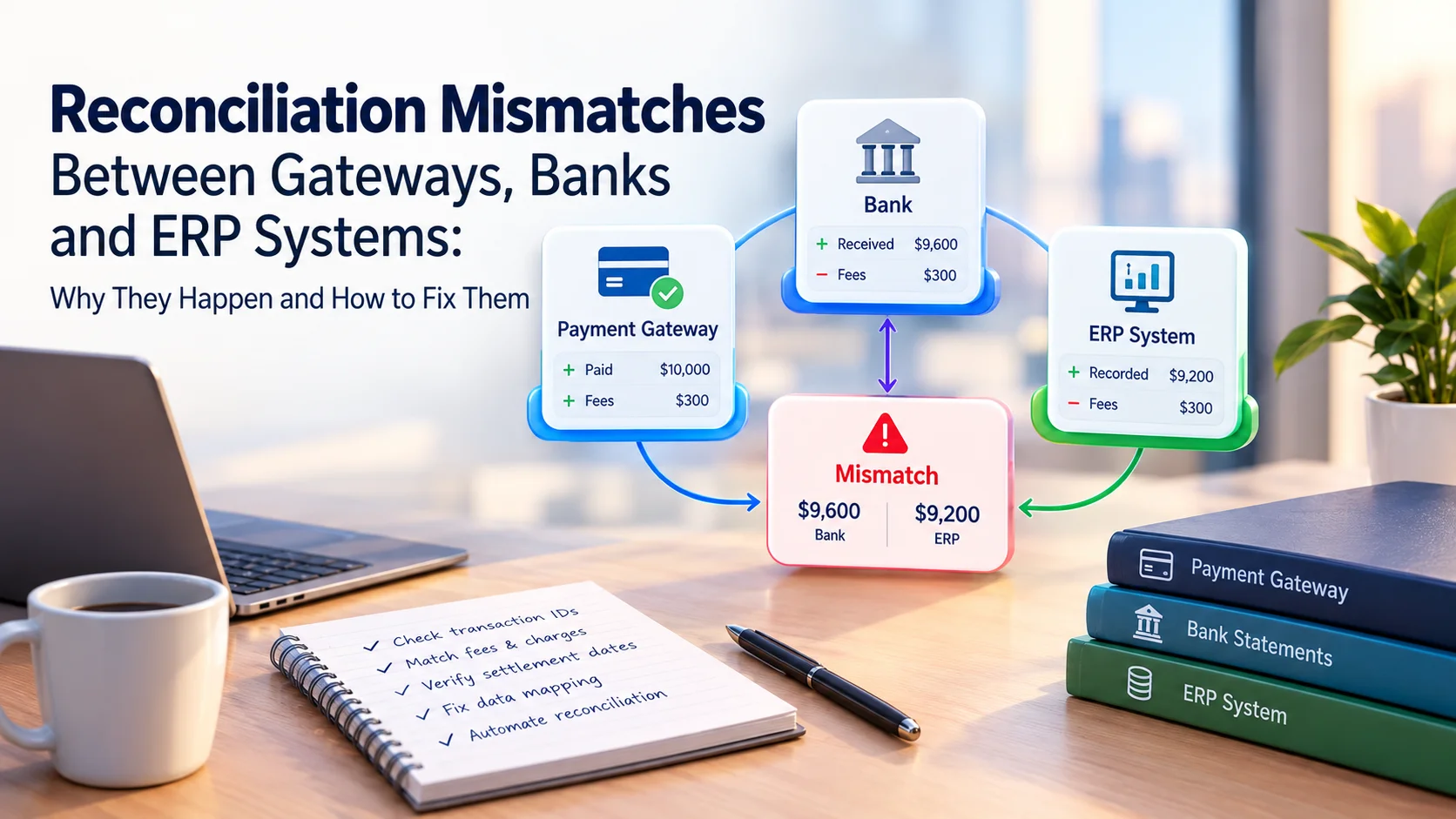
The gateway report says $40,100. The bank deposit says $36,140. The ERP says $41,250. Everyone is looking at the same sales, and nobody agrees on the total.
This is one of the most common frustrations in finance operations, and it rarely means money is missing. This guide explains where the three records diverge, how to tell a normal difference from a real error, and what to demand from your payment providers so month-end stops being a scavenger hunt.
Gateway, bank and ERP records describe the same cash at different stages and in different shapes. Mismatches come from timing, fees, adjustments, currency, weak references and bank file formats. Match in two stages, keep gross and net separate, and choose providers whose data carries identifiers your systems can use.
Three Records, One Cash Flow
Modern payment processing splits one customer payment across several hands. Authorization, capture, settlement and bank receipt are separate events that can occur on different dates, carry different references and be changed by partial captures, refunds, fees, disputes or reserves.
Each system records a different slice of that journey.
| Record | What it shows | Typical shape |
|---|---|---|
| ERP | Orders, invoices and expected cash | Gross, one line per sale |
| Gateway or provider | Transactions, fees, refunds, payouts | Detailed, per transaction |
| Bank | Cash actually received | Net, often one lump per payout |
At high volume, the bank usually receives net settlement batches, and one payout can include activity from several days plus refunds, chargebacks and reserves. The ERP records gross activity while the bank receives net cash, so a valid payout keeps looking short unless fee treatment is built into the matching logic.
Normal Differences vs Real Errors
Sort every gap into one of two groups before you start digging.
- Expected: timing gaps, fees, refunds from earlier periods, contractual reserves, currency effects
- Unexpected: missing transactions, duplicates, wrong amounts, unexplained deductions
Discrepancies represent either errors that need correction or expected differences, such as timing and fees, that need to be accounted for. Good reconciliation is largely the discipline of explaining the expected ones quickly so the real ones stand out.
Where Mismatches Come From
The gaps cluster at three seams in the process.
Seam 1: ERP to Gateway
This is where an order meets a payment.
- Missing identifiers: Common causes of mismatch include missing identifiers, duplicate payment attempts, status delays and manual order updates. Without a shared ID, matching falls back to amount and date, which breaks easily.
- Partial captures and refunds: An order for $500 may become a $300 capture and a $200 void. The ERP needs to follow that path.
- Duplicate attempts: A customer retries after a timeout, and two authorizations exist for one order.
- Status lag: The gateway shows paid, but the ERP has not received the update.
Seam 2: Gateway to Bank
This is where transactions become a payout.
- Timing: A sale captured one day and settled the next creates an apparent discrepancy in daily matching.
- Fees and adjustments: Settlement files list gross amounts, fees, net amounts and adjustments for refunds, chargebacks and reserve movements.
- Old problems in new files: Refunds or chargebacks from earlier periods can appear in the current settlement.
- Currency: Cross-border reconciliation is harder because conversion, fees, timing, refunds, chargebacks and remitter names can all create mismatches.
- Fee logic errors: One retailer's recurring mismatch came from treating card fees as percentage-only and missing a fixed per-transaction component.
Seam 3: Bank to ERP
This is where cash meets the ledger.
- One line, many sales: The bank statement usually shows a single line for the provider, with the detail sitting in a separate report.
- Batch reporting choices: Banks may report a payment batch as one line or as a detailed list, and ERP matching settings need to reflect which one you receive.
- File format limits: ERPs typically support formats such as CAMT.053, BAI2, OFX and CSV, and CAMT.053 and BAI2 usually carry the richest data for automatic matching.
A Worked Example
This is an illustrative day for a US merchant. The ERP shows $41,250 in sales. One $1,150 order was captured after the provider's cut-off, so it will settle tomorrow.
| Line | Amount |
|---|---|
| Sales in ERP | $41,250 |
| Less: captured after cut-off, settles tomorrow | −$1,150 |
| Gross in settlement file | $40,100 |
| Fees | −$1,160 |
| Refunds | −$620 |
| Chargeback | −$175 |
| Reserve withheld | −$2,005 |
| Net payout and bank credit | $36,140 |
The gap between ERP and bank is $5,110. It splits into $1,150 of timing, $1,160 of fees, $620 of refunds, $175 of a chargeback and $2,005 of reserve. Nothing is missing. The numbers only look wrong when you compare totals that were never meant to be equal.
Design a Two-Stage Match
The most reliable approach splits the work into two stages.
Stage 1: ERP to Gateway, Transaction by Transaction
Match each ERP order to the gateway payment. Reliable matching uses identifiers that survive across systems, such as payment ID, merchant reference, payout ID and bank reference, plus amount and currency.
Useful keys include order ID, payment ID, settlement reference and refund ID. Store the gateway's payment ID in the ERP record at the moment of payment, not later.
Stage 2: Gateway to Bank, Batch by Batch
Match each payment payout batch to the bank credit. One processor's guide advises reconciling payout batches using the batch number and then verifying the credits and debits within each batch at transaction level. It also suggests automating by using the transaction ID together with the bank statement reference.
Check that the payout total equals the bank credit exactly. Then book fees, refunds and reserves as explicit lines.
Keep Gross and Net Apart
Net deposits rarely match gross sales because fees, refunds, chargebacks and adjustments are deducted before the cash lands. Record revenue at gross and post fees to an expense account. One reconciliation module posts net credits to the main account and the sum of fees to a cost account.
Watch Cut-Offs and Calendars
Many apparent mismatches are really calendar problems. A provider may close its settlement day in one time zone while your ERP posts in another, and bank holidays can push a payout to the next business day.
Write down each provider's cut-off time, time zone and settlement calendar. Then build your matching rules around settlement dates, not only transaction dates.
Handle Exceptions Instead of Chasing Everything
Set tolerance rules for rounding and tiny timing gaps. Route everything else to a short exception queue.
Track one number: the share of lines that match automatically on the first pass. Teams that do not measure first-pass match rates miss a major optimization lever.
One vendor case study describes cutting daily triage from two or three hours to a review of genuine exceptions. That is a supplier's claim, but the principle holds: automation pays when it removes routine matching and leaves judgment work.
What Poor Reconciliation Really Costs
Here is a simple model. Suppose you process 10,000 card payments a month and 3% cannot be matched automatically. That is 300 items.
If each takes six minutes to research, your team spends about 30 hours a month on matching, or roughly 360 hours a year. That is before you count delayed closes, audit questions and the risk of writing off money that was simply misfiled.
Use your own numbers, but run the exercise before you pick a provider. It often changes which offer looks cheapest.
Warning Signs Your Setup Is Fragile
- Month-end close keeps slipping because of cash matching
- The same unexplained difference reappears every month
- Staff keep personal spreadsheets of "known issues"
- One person knows how payouts really map to bank lines
- Refunds and chargebacks are booked manually, days later
- Different providers send files in different layouts
Two or more of these usually means your identifiers or data feeds need attention, not just more effort from the team.
What to Demand From Payment Providers
Your reconciliation quality depends on the data you receive. When comparing payment providers, ask for:
- Transaction-level settlement files, not only batch totals
- A gross-to-net breakdown that shows every fee type
- Stable identifiers that carry through from order to payment to payout
- Payout or batch IDs that appear on the bank reference
- Reserve and adjustment lines shown separately
- Settlement cut-off times and time zones in writing
- File retention and re-download for past periods
- A named contact for settlement queries
Also ask how the payment gateway reports failed, reversed and duplicate events. Those cause many orphan records.
If you use more than one provider, require consistent fields across all of them. Multi-provider reconciliation depends on linking merchant orders to normalized payment events, settlement records, fees, refunds, disputes and bank credits.
Ask Your Bank Too
- Do you send statements as CAMT.053, BAI2 or another format?
- Are payout batches shown as one line or itemized?
- How long are reference fields, and are they ever truncated?
- Can virtual accounts separate incoming merchant payment flows by provider or entity?
Build, Buy or Stay Manual?
| Situation | Sensible approach |
|---|---|
| Low volume, one provider | Spreadsheet with three keys and a monthly review |
| Growing volume, one or two providers | ERP bank-matching rules plus provider reports |
| High volume, several providers or currencies | A dedicated reconciliation tool with exception queues |
Move up a level when exceptions grow faster than your team can clear them, or when close takes longer each month.
A Month-End Checklist
- Every settlement file for the month is received and loaded
- Each payout matches a bank credit with zero unexplained difference
- Fees match the rate card, and variances are flagged
- Refunds and chargebacks link to their original sales
- Reserve balances agree with the provider's statement
- Open items past a set age are reviewed
- Currency differences are explained or within tolerance
Mistakes That Keep Mismatches Alive
- Comparing gross totals to net deposits
- Storing no gateway ID in the ERP
- Ignoring settlement cut-off times
- Letting manual order edits bypass the payment record
- Accepting provider files that lack transaction detail
- Treating reconciliation as a month-end job instead of a daily one
FAQ
Is a daily mismatch always a problem?
No. Timing gaps clear when the next batch arrives. Investigate differences that persist.
Should the ERP record gross or net sales?
Gross, with fees, refunds and reserves booked separately. That keeps revenue accurate and the trail clear.
Who should own reconciliation?
Finance owns the matching rules and exceptions. IT owns the connections and references. A shared runbook prevents hand-off gaps.
Can better merchant services reduce the problem?
Yes. Providers that supply clean settlement data and stable identifiers can cut manual work more than any rate discount.
The Bottom Line
Reconciliation mismatches are rarely mysterious. They come from timing, fees, adjustments, currency and weak references. Match in two stages, keep gross and net apart, and insist on data that your systems can use.
Before you choose your next provider, compare payment providers and their settlement reporting in the TheFinRate directory.
Comments
No comments yet. Be the first to share your thoughts.
Leave a comment